
Website sections:
- Services Provided
- IT Project Management
- Application Development
- Creativity Management
- Previous Work Experience
- Site Map
- Contact Information
Current section's content:
- Overview of Application Development
- Computer Application Development Process
- Subject Matters and Workflow Role in Application Development
- Website Layers of Qualities
- Page-Level Navigation Problems
- Increasing MS Access mdb File Operating Speed
- CRM Sales Software Selecting and Customization Processes
- Overview of Sales Software Selecting and Customization Articles
- What CRM Sales Software Is Right For You?
- Sales CRM Example

Increasing MS Access mdb File Operating Speed
I wrote this article first in 2002 and updated some parts of it couple of years later, but it is still relevant today. The article contains a list of suggestions that all focus on increasing MS Access application's operating speed. This article was written for general audience and concentrates primarily on listing the relevant issues and techniques rather than on providing in-depth analysis.
Contents
- Introduction
- Database Administration As Usage-Driven Process
- Environmental Testing
- Application's Structure
- Application's Objects
- Tables
- Queries
- Forms
- Reports
- Modules and Programming
- Conclusion
Introduction
The topics addressed here are especially relevant to large MS Access ("Access") MDB database file development and administration and to multi-user environment with more than 2-3 concurrent users.
Operating speed, the topic addressed in this article, is an issue that is relevant to every medium size and large Access database application's development and administration. This article is not an all-inclusive list of techniques and tips relevant to increasing Access MDB file operating speed. Many techniques are only mentioned briefly. Further, many techniques and tips that are mentioned in one category apply to other categories as well. Forms as application objects are being discussed most thoroughly. However, many principles that apply to forms apply to reports as well, and principles that apply to queries in general also apply to optimizing queries as forms and reports sources of data.
Database Administration As Usage-Driven Process
Access database size grows as a result of adding and deleting data, but usually so that part of the database is "empty space." That empty space slows down the application. Thus, one of the simplest, yet most important things that Access database administrator can do to speed up the application is to compact the database regularly (preferably daily). Compacting can also be automated using VBA programming code.
Similarly, as part of the administration process users' computer hard disk should be defragmented periodically. Using disk compression, however, does not improve Access' performance - rather the opposite, it slows down Access software.
Access can be installed so that it is run from a file server across a network and individual users' machines do not have a separate copy of Access installed. This method can seriously degrade network's performance. Another method that provides a much better performance is to install a separate copy of Access on each user's machine. Of course, database applications can still be shared. The main difference is that when a separate copy of Access is installed on each user's machine, less data is sent over the network wire when users launch Access applications.
The more RAM (Random Access Memory) all the individual users' machines have, the better. RAM is the best investment to speed up an individual computer or network server. In addition, processor's speed affects individual machine's performance. Similarly, servers' RAM and number of processors affect network's performance.
Modifying transaction processing settings can increase processing speed. For example, if the application is large but has few concurrent users, SharedAsyncDelay can be set higher than 50 (which is its default value) and ExclusiveAsyncDelay can be set higher than 2000 (which is its default value). The higher these numbers are, the greater are performance benefits. However, for applications with many concurrent users these numbers should not be set higher.
SharedAsyncDelay and ExclusiveAsyncDelay can be modified through Windows Registry or using ADO code. The latter method is more efficient, especially considering that Registry settings affect all applications that use Jet Engine, while through using ADO code the settings can be changed temporarily and so that only machines that run the specific application are affected.
Performance Analyzer can help to pinpoint some basic ways to speed up an application. For other environment and usage-related tips and techniques consult your computer's and Access Help files using keywords "speed" or "optimize performance."
Environmental Testing
Testing different code samples and application's objects allows finding the most efficient solutions. Testing is less important if the application is small and performs well. The larger the application and the more crowded the network, the more important testing becomes.
Testing is called environmental testing here because essentially the goal is to test different techniques and strategies for their suitability in particular environment. Accordingly, it is very important that application testing environment is similar to the environment in which the application will be run.
In very many instances the information that travels over the network wire can and should be restricted. For example, typically application users want to see certain selected information. There are wonderful simple, reliable, yet powerful techniques that can be used for filtering typical file-server application recordsets. Two of the most widely used ways are opening a form or report with specific criteria and applying filter on the form. Using these methods the developer can very easily set up practically any kind of customized search and filtering combinations. However, when used in the traditional way (as part of VBA) both of these methods are usually very inefficient because the filter is applied on every workstation, not on the server. That means that a lot of unnecessary data travels over the network wire. Similar situation occurs when a form (that displays people and/or organizations, for example) with a bound source of data is viewed using regular techniques. Large amounts of data traveling over the network wire slow down the application and can also slow down the entire network. The larger the application, the bigger the impact.
Fortunately, there are very many things that can be done to speed up Access MDB file applications and to minimize potential adverse affects that large applications may have on the network and its users. However, depending on the type of application's objects used, number of tables' rows and columns, join types and number of tables involved, indexes used, type of recordset, code being used, how the modules are structured, and depending on the specific network, many of the factors that influence operating speed may perform very differently.
In addition, application development process itself may have different priorities like, for example, applications speed or maintainability or usage convenience. Briefly, what can be an advantage in one application's case and in one environment may not only be insignificant, but even a disadvantage in another situation. Only testing and evaluating different alternative solutions can really provide the answers - and thus, the term "environmental testing."
Such testing involves measuring how long alternative options take to complete. The code used for testing can be very simple. For example, using variables that utilize Timer function before and after the test code can provide fairly accurate results. A slightly more complex code can provide even more accurate results.
Testing can be time consuming, but given that it can benefit both application's users and the rest of network's users a lot, it's time well spent.
Application's Structure
Minimizing the amount of data that has to be sent over the network wire at any given time (that is, in one "chunk") and the amount of memory that is consumed by individual forms, reports and modules are two most effective ways of speeding up large Access MDB files.
Every large multi-user environment Access application should be set up with linked tables so that one database contains only main subject matters' tables and is saved on the network server and the other, "local" database, contains the rest of the objects and is saved on every users computer. This way the network traffic is reduced and application usage speed is improved because less data has to be sent over the network wire.
The "local" database with forms and other objects has to be saved on each and every user's computer individually. Further, when database objects other than main subject matters' tables (for example, forms) will be developed further, a new copy of the "local" database has to be saved again on every user's computer. Using replication can help to automate this process. So, these requirements shouldn't be a problem for database administrators who either have or are willing to obtain the expertise and experience that is needed for handling large and multi-user Access applications. The reduction in network traffic can be rather considerable and is usually considered to be a very significant plus.
Replication is also very helpful for synchronizing remotely located applications, for example sharing data among different offices or mobile users and the main database. Replication can also be used to reduce network traffic and thus improve individual applications' performance. Replicas can be located on different servers so that changes are synchronized once or more a day. Further, replication can also be used to set up a structure that allows individual users to continue their work using a backup server when the main server is down. Replication can also be useful when Access is used for Internet applications. The Internet is inherently multi-user environment; so, if dynamic (that is, not static) options are used then concurrency problems can easily arise that regular Access applications are not equipped to handle. Replication does not solve all these problems but does offer helpful solutions in some instances.
As an alternative to ADP files, MDB files with linked tables can be used in client-server environment as well. ADP files are very useful and simplify client-server development, but local queries and local tables cannot be used with ADP files and user-level security is not available. So, if application's users want to create queries (that they save on their own desktop computers) and/or are not familiar or comfortable with ADP environment or should not be allowed to work with views for security reasons, application that uses linked tables can be considered as an alternative solution. In such instance a combination of linked SQL Server and local Access tables and pass-through queries offers the best solution. Stored procedures, which help to minimize the amount of information that travels over the network wire and are therefore very important part of client-server development, can be executed using ADO code.
This system's downside is that MDB file with linked tables utilizes ODBC connections which have to travel through very many layers of "translators" and are therefore slower, while ADP files use OLE DB which is a more direct connection and therefore faster.
When linked tables are used forms and reports should be based on queries or SQL statements embedded in VBA code so that the information that travels over the network wire is restricted.
Depending on the business needs object oriented approach (combined with unbound forms and linked tables) can be used as well. Another alternative is to make one or more ActiveX DLL (that is referenced as a library) or to use another MDB file as a referenced library that contains class modules (which could also be part of the Access application). Using a library database allows to build 3-tier model using Access only or Access and Visual Basic. First tier (saved on the users workstations) contains support for graphic user interfaces only. Second tier contains data access code and is saved on the server as a separate MDB file or ActiveX DLL. Third tier, a separate MDB file that is saved on the server, contains the tables (which are not linked to the first tier). This approach can increase number of concurrent users and improve application's maintainability because the middle tier can be maintained separately. The goal here is to minimize (a) the amount of time individual users are connected to the back end database and (b) the amount of data that travels over the network wire.
In every instance described here all the programming code functions behind the scenes. From users perspective each of these solutions works just like any other Access application they are working with. The only difference is that, considering the amount of data the application handles, it works faster and/or handles more concurrent users than comparable regular MDB file would.
The above solutions are some of the ways a large application could be set up. Trying and testing different alternative options allows finding the best solution for the application.
Application's Objects
Tables, queries, forms, reports and modules are all application's objects. All of them can in their own way either speed up or slow down the application.
Tables
As part of the development process, subject matters become tables and subject matter's characteristics become table fields.
As was mentioned above, every large and multi-user environment Access application should be set up with two linked databases. One database contains only tables and is saved on the network server and the other, "local" database, contains the rest of the objects and is saved on every users computer. This way application usage speed is improved because less data has to be sent over the network wire.
Normalization is an important part of database development that also helps to speed up application's operating speed. However, in some instances denormalization is also helpful. For example, Access generally performs better drawing data from one large table than from several joined tables. However, denormalization often requires additional maintenance and can cause problems when additional development is done based on denormalized tables.
Using least memory consuming data types for each field improves performance. Indexing every field that has mostly unique values and is searched, sorted or used in query joins - and only these fields - can improve performance rather considerably. Determining which fields to index may also require testing because indexing slows down updating and may create concurrency problems. The fewer fields are part of an index, the better the performance.
Tables that are often used can be read into memory (using VBA) and accessed directly from memory. Accessing data from memory is faster than accessing local tables, which is much faster than accessing remote tables over the network wire.
Queries
Indexing every field that is searched, sorted, used to set criteria for the query or used in query joins - and only these fields - improves performance and so does including only necessary fields as part of the query. If a field is used for criteria, unchecking Show checkbox so that the field is not displayed also improves performance and so does using least memory consuming data types for each field and compatible data types for fields that participate in joins.
Rushmore technology criteria expressions are optimizable, which means that using these expressions helps to speed up query performance. Criteria expressions are very often used with queries; so, being familiar with Rushmore technology is certainly helpful.
If subqueries and calculated fields are used, including the calculated fields as part of the top-level queries instead of subqueries helps to increase performance.
Using sorting and grouping slows down the query, especially if multiple tables are part of the query and so does using restrictive criteria on calculated and nonindexed fields.
For data that doesn't change using a table as the source of data gives better performance than using queries to extract the same data from a larger table.
Action queries are faster than is looping through the recordset using VBA code.
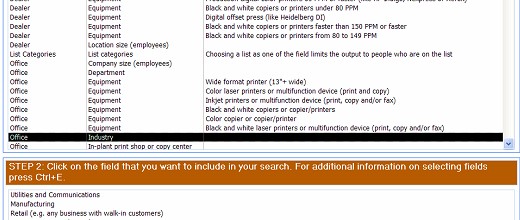
Queries can be built programmatically as well. The larger the number of user selected alternatives that are built into particular query that may be executed as one command, the more sense it makes to build the query programmatically rather than choose among several saved queries. For example, for forms that allow assembling a report so that user can combine several categories of options at will, a programmatically built query is the best alternative because the number on saved queries that would be needed as an alternative may become very large.
If domain aggregate function (for example, DLookup function) is being used, then including the table that the data is drawn from as part of the query improves performance.
Test putting criteria in one-to-many relationship to one and then to many side, that is, test both alternatives for speed.
Among all the application's objects queries' operating speed is probably the most dependent on the environment. So, test alternative techniques that are part of building queries.
Forms
As was mentioned above, every large and multi-user environment Access application should be set up with two linked databases. One database contains only tables and is saved on the network server and the other, "local" database, contains the rest of the objects and is saved on every users computer. This way application usage speed is improved because less data has to be sent over the network wire.
Forms and reports tend to be the largest objects. So, saving forms and reports on the "local" database is especially important. If the forms are developed further, a new copy of the "local" database has to be saved again on every user's computer. Using replication can help to automate that process. Replication is also very helpful for synchronizing remotely located applications.
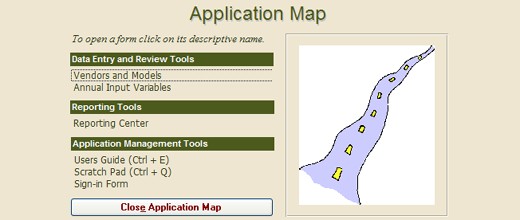
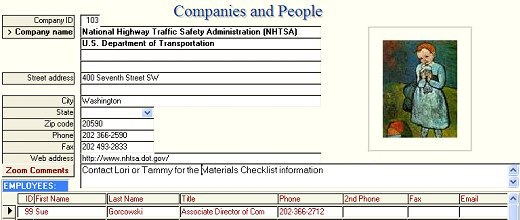
Next recommended technique does not increase application's operating speed but can increase most users' operating speed - and, thus, user satisfaction. It is to build a site map as a navigation tool in addition to switchboard. An application should provide users with different ways to access the objects (that has been application building trend for almost a decade now). Switchboard is convenient, but displays application's objects only one section at the time. Building in addition to switchboard also a site map that displays simultaneously all the application's forms and reports and allows moving from any object to any other object requires relatively little code and is easy to do. Users should be able to access site map by using a shortcut (for example, Ctrl + D) and also from the switchboard. Such site map can be opened, using a shortcut, while any form or report is open. It automatically closes the previously used object and displays all the forms and reports. So, using it makes navigating even an application that has many forms and reports very convenient and fast.
After building the first site map the same site map object can be recycled and used with small changes in other Access database applications.
Sometimes convenience has to be balanced with operating speed. For example, AutoExpand property fills combo box with the value that is typed in. This is convenient when looking up entries (for example, people). However, using AutoExpand property slows the application down because the underlying table has to be queried as the user types in values. If the table with the underlying data is large and has to be accessed over the network, this can slow down the application's usage. Again, testing and evaluating different priorities provides the solution.
In addition, indexing the first field that appears in the combo box speeds up the performance, just as indexing every other field that is used for searching does. Combo boxes that are based on data that seldom changes should be based on locally saved tables.
Another issue where convenience and operating speed have to be weighted and different options should be tested is designing forms' structure and layout. If the underlying tables do not contain many rows and/or fields, forms can display a lot of information and can contain many fields and buttons and several subforms. Such forms are especially convenient to use if information flow is dominantly single-directional because single-directional layout is especially well suited for absorbing and processing information.
However, the more rows and fields the underlying tables and/or queries contain, the slower such forms are and the more adversely they affect the network traffic.
The goal is to minimize the amount of data that has to be sent over the network wire at any given time (that is, in one "chunk") and to minimize the amount of memory that is consumed by the application.
Subforms take up considerable amounts of memory. Further, the more buttons, combo boxes and other objects a form contains, the more memory it consumes.
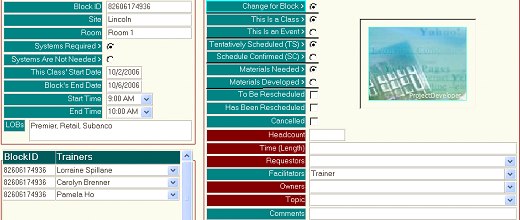
So, instead of displaying simultaneously main category (lets say, organizations), people's subform and perhaps also additional information related to people, only one organization's information at the time could be displayed. Tabbed form with subforms that have no SourceObject assigned to them until they are viewed, that is, until the user clicks on the subform's tab, help to minimize the amount of information that travels over the network wire at any given time. Similarly, forms RecordSource can be built from only selected records or one record at the time, and forms RecordSource can be changed one record at the time.
The techniques outlined in the subsection Application's Structure can also help to bring data over the network wire one row at the time in file-server environment.
Building the application so that new objects (for example, forms and reports) can be opened only after the previously viewed objects are closed helps to minimize the memory that is consumed and, therefore, performance.
Basing forms and their controls instead of tables on saved queries or embedded SQL statements that request only selected data helps to speed up performance. Pre-2000 versions of Access did not utilize embedded SQL statements as efficiently as the latest versions do, so, saved queries performed better with these versions.
WHERE clause used with the OpenForm method and Filter property are probably two of the easiest techniques for displaying only selected data. Using these techniques the developer can very easily set up practically any kind of customized search and information displaying features and combinations. This works well for relatively small databases. However, because the filter and the criteria are applied at the workstation, these techniques slow down the application if the number of rows that travel over the network is large. Pointing RecordSource as part of Open event to a query that may contain criteria fields produces better results.
Forms that contain only few frequently used buttons (for example, Close button) can utilize standard module's public functions, hyperlinks and macros instead of class module. Removing class module (and indicating that on form's property sheet) improves form's performance.
Further, forms (and subforms) that are used for a specific purpose should be optimized for that purpose. Optimizing a form for data entry or for looking up information can considerably speed up form's performance.
Optimizing built-in filtering features improves performance. However, it makes sense to build custom search functions rather than let users to use built-in filtering features. Custom search features are more convenient to use, are customized for the application and its users needs and can show information in combinations that would be difficult to obtain using built-in features. Further, these custom designed search and information display tools can be optimized for the best performance.
Forms can be based on different type of recordsets. For large recordsets dynaset-type of recordsets are faster than snapshot type of recordsets.
Another way to speed up form's performance is to preload it in hidden view and make it visible when needed. Preloading can happen during startup or while another form (for example, switchboard) is being viewed.
Access handles default formatting and properties faster than any formatting and properties that differ from default formatting. However, default formatting can be custom designed for one form or report, or for all forms or reports.
Images can brighten otherwise dull-looking forms and reports. However, large images take up a lot of resources. Bitmaps consume always many times more memory than comparative GIF or JPEG images do. Further, using image controls rather than bound or unbound object frames results in less memory consuming objects and thus in better performance.
Reports
Many techniques that apply to forms apply to reports as well. Briefly, minimizing the amount of data that has to be sent over the network wire at any given time and the amount of memory that is consumed by the application are the two main categories of techniques that help to increase operating speed.
Report's RecordSource can be set at runtime and set up so that only selected amounts of data travel over the network wire. For example, user can make a selection using an appropriately designed form and based on the selection report's RecordSource can be changed to a saved query (that is one option among several alternative saved queries) or to a dynamically built SQL statement that is part of VBA code. The latter approach allows offering users from few to very large number of options. Users can make different selections according to their needs and the underlying RecordSource is assembled accordingly. (Similar selection tools can be built for forms as well.)
In addition to optimizing report's structure, the underlying query should be optimized as well.
Sorting and grouping slows the report, especially if it is used on expressions. Indexing fields that are used for sorting of grouping helps to improve performance. Similarly, indexing subreport's fields that are linked to the main report improves performance and so does indexing subreport's fields that are used for criteria.
The same formatting and image usage tips that apply to forms apply to reports as well.
Modules and Programming
There are very many VBA programming related techniques that can increase application's operating speed. Data types, constants, object types, variables, properties, arithmetic calculations used all affect application's operating speed. Similarly, how procedures are put together into modules and loaded into memory and whether or not modules are compiled affects operating speed and so does how DoEvents statement, Requery action and method, Me keyword, Erase and Nothing statements, True/False, bookmarks, inline code, SQL code and recordset types, built-in collections, certain functions, especially IIf (Immediate If) function, are used. Further, many of the above techniques are actually categories of techniques that can be employed. An article that would list with examples and explanations all the programming-related techniques that increase application's operating speed would probably be three or more times longer than this article is. However, it is important to test alternative solutions because results may vary depending the environment and the version of Access used.
Conclusion
Access can provide cost effective solutions that are convenient to use and much easier to administer than client-server solutions are. Bulk of the techniques that help to speed up large Access MDB files center around minimizing (1) the amount of data that travels over the network wire and (2) the amount of memory that is consumed by individual forms, reports and modules.
The number of techniques that can be used to speed up Access MDB file is astounding. This article lists some of them. However, depending on the environment, numerous variables affect application's operating speed differently. So, testing helps to determine the optimum combination of techniques and strategies in the particular environment. Testing and evaluating different alternative solutions may be time consuming at times but is in most instances worth the time and efforts.

